A measuring app for Android
Anomaly Lab
It measures. The interpretation is yours.
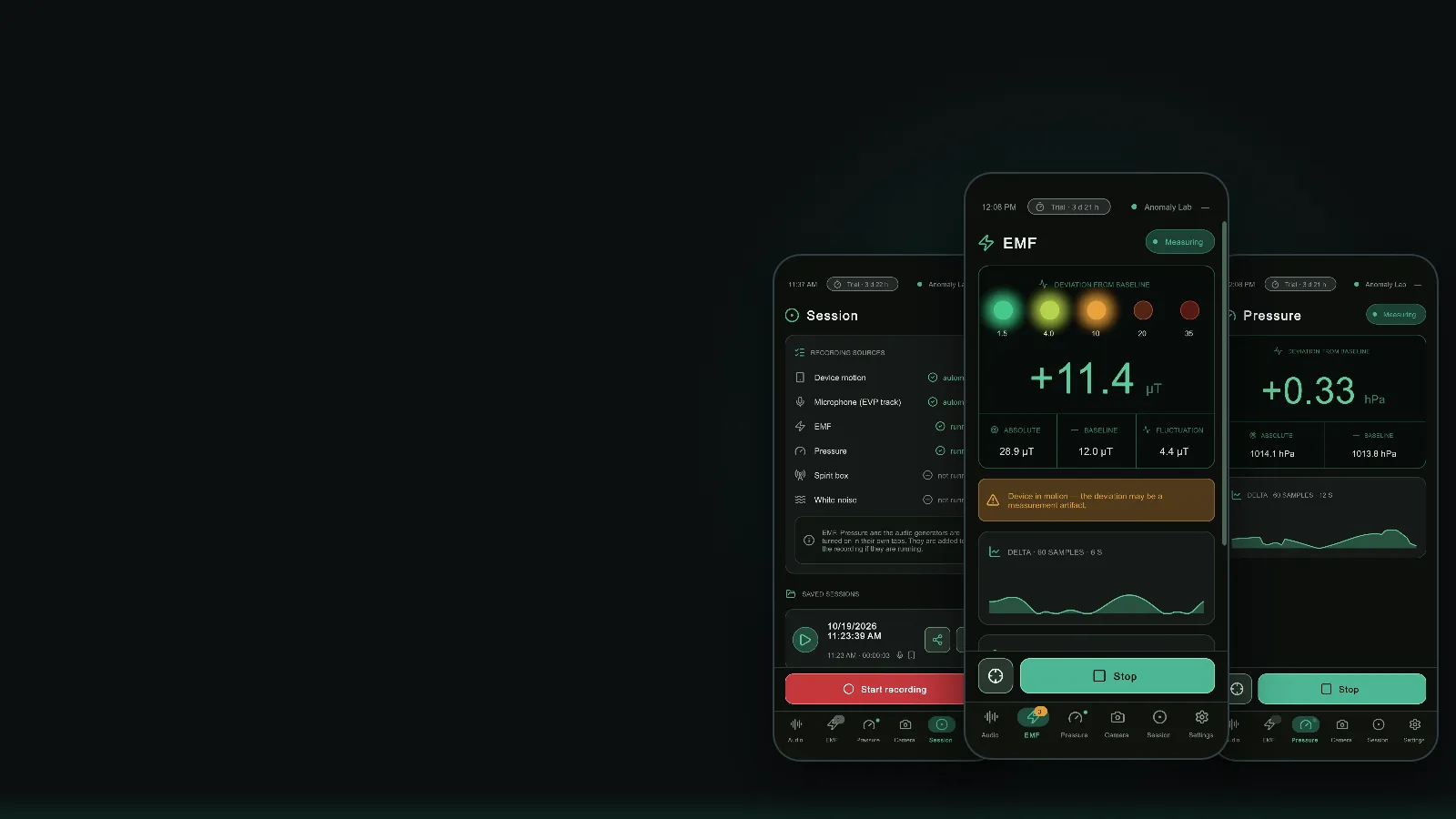
Measure the magnetic field, air pressure and sound, record them, then replay the recording on a timeline and see when the magnetic field or the sound changed.

Free to download. Every feature for the first 7 days.
- Early release
- Version 0.1
- iOS version coming
- Android
- Full-featured
- 7-day trial
- No ads
- One-time purchase
The app
Measure on site. Replay at home.
Old houses, basements, abandoned places. You go in with your phone and you want something to work from when you get back. Anomaly Lab is for people who do paranormal research or ghost hunting and want measurements they can record, replay and show to others, and for anyone curious about what a phone can measure.
You put the phone down and let the instruments measure the stillness for a moment. Then you press REC and walk slowly through the house. Back home, you replay the recording and see on the timeline when the magnetic field or the sound changed.
Here, “anomaly” means only a deviation from a reference value.
Instruments
Seven instruments, one phone
Switch on the ones you need. REC records whatever is running. Not every phone has a magnetometer or a barometer; when one is missing, the app tells you.
-
EMF
See how the magnetic field around you deviates from a reference value.
-
Air pressure
Follow changes in air pressure over time.
-
Camera
A live image with adjusted contrast and false colors.
-
EVP recorder
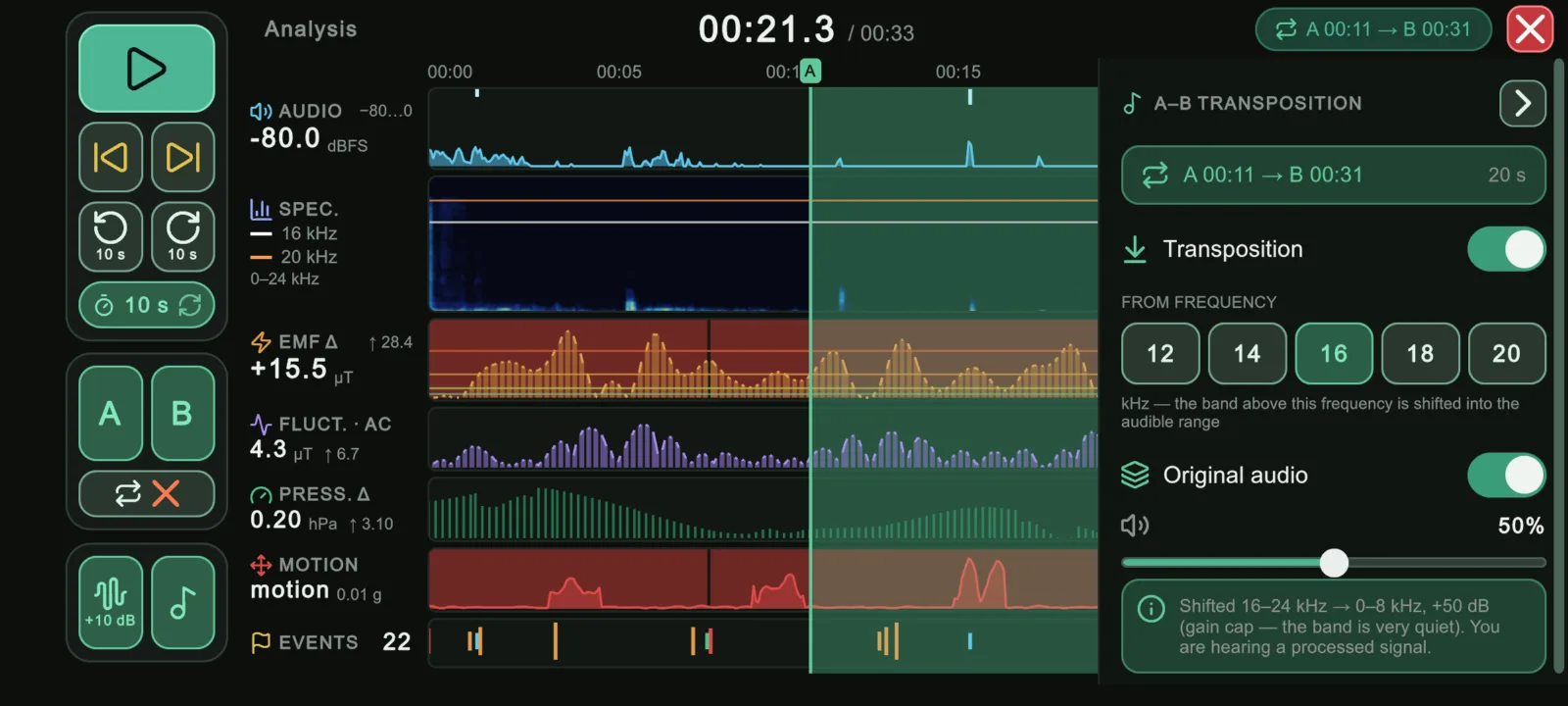
Record audio and edit it: reduce noise, lift treble, shift high frequencies down.
-
Spirit box
A software sound generator, not a radio. No words, no answers.
-
Noise generator
White, pink, brown or violet noise, whenever you like.
-
Recordings
REC records the running sensors and the microphone, for replay and analysis.
EMF
How far has the field moved?
Five LEDs and a live reading show how far the magnetic field has moved from a reference value; readings taken while the phone is moving are marked as a possible artifact. The app does not measure the alternating fields of household appliances.
Air pressure
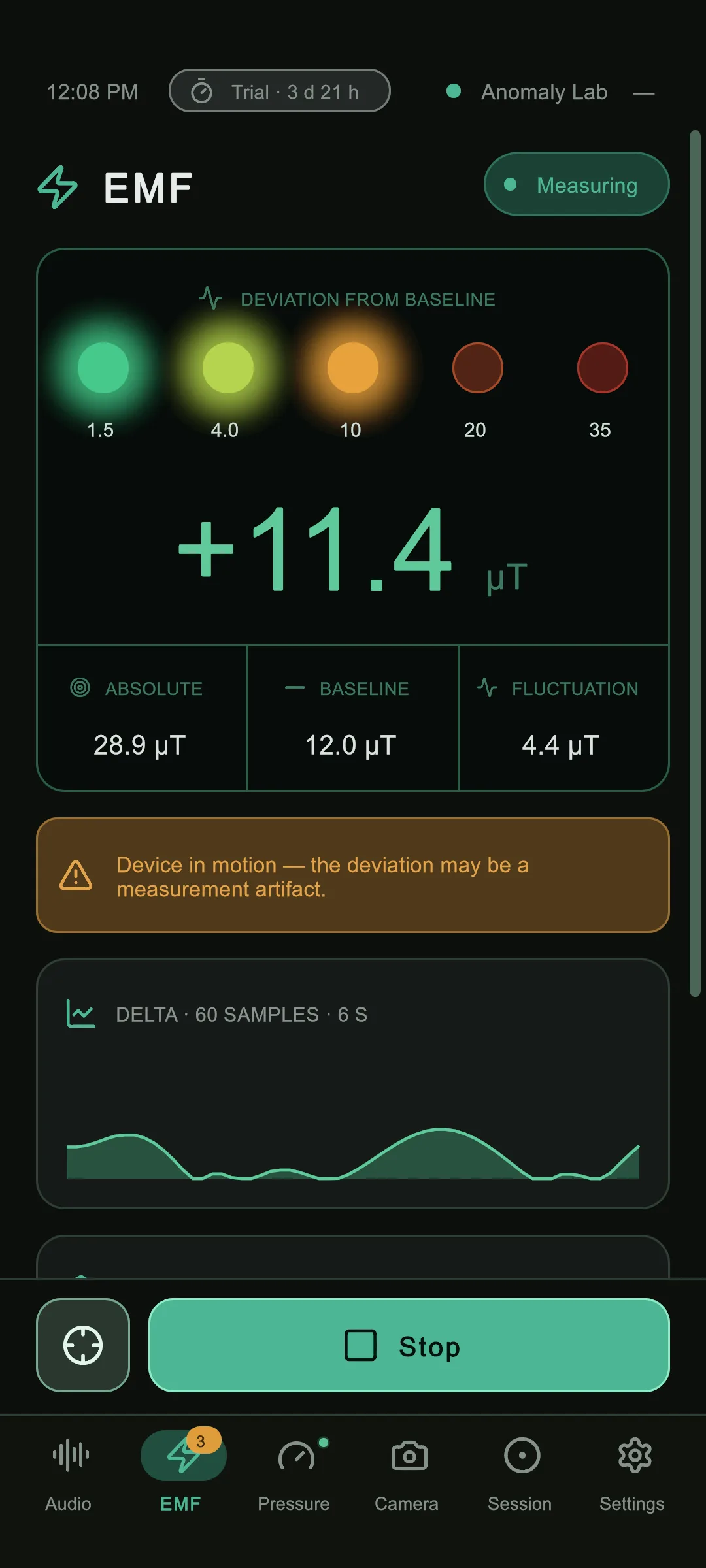
See pressure change as it happens
A graph shows how air pressure moves away from its reference value, in hPa, on phones that have a barometer.
Camera
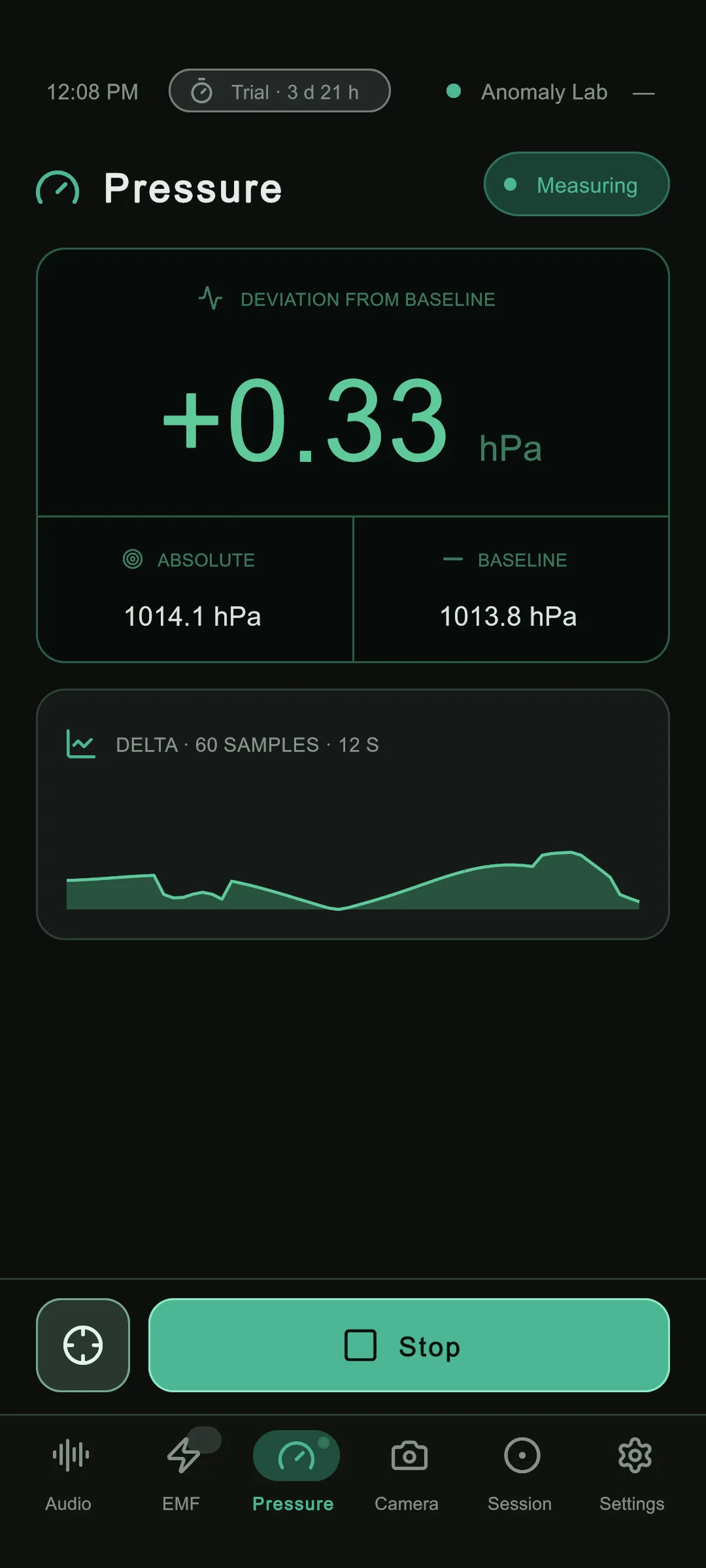
Adjust the live view
Adjust contrast and false colors on a live image and watch for brightness changes between frames; nothing is saved to recordings.
Enhanced IR is not an infrared or thermal camera and cannot see in the dark; it only emphasizes differences between the color channels of an ordinary camera.
EVP recorder
Edit a recording, watch the spectrum
Record audio, then edit it: reduce the noise, lift the treble, or shift high frequencies down into the audible range.
You hear an edited signal, not the original sound.
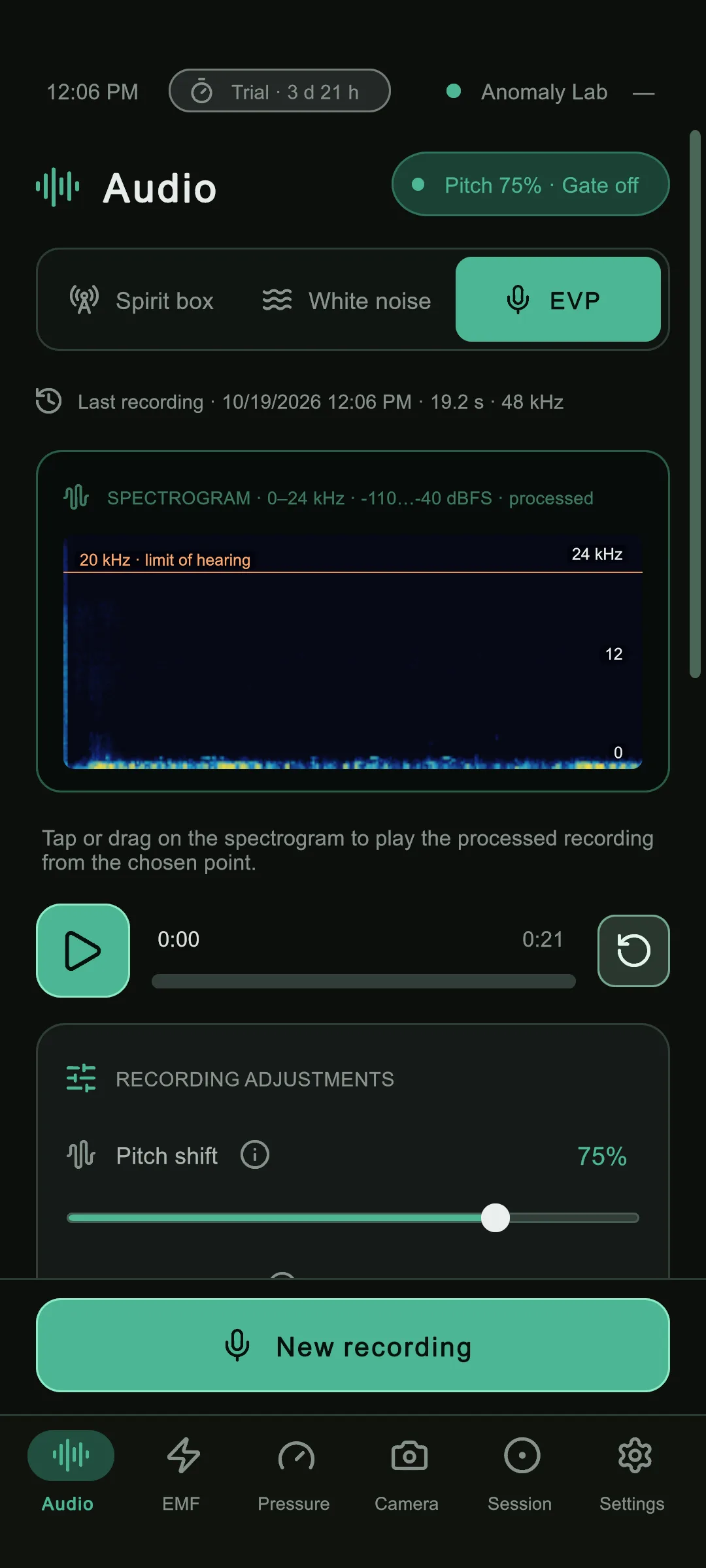
Spirit box
Listen to noise and band fragments
The spirit box is a software sound generator that plays noise and short fragments of the frequency band. It is not a radio, and it produces no words and gives no answers.
Noise generator
Noise on demand
Choose white, pink, brown or violet noise and play it whenever you like.
Recordings
Press REC, review it later
REC records the sensors that are running, plus the microphone.
Replay the recording on a timeline, break it down in landscape view and export the audio and data to analyze on your own. Recordings stay on your device.
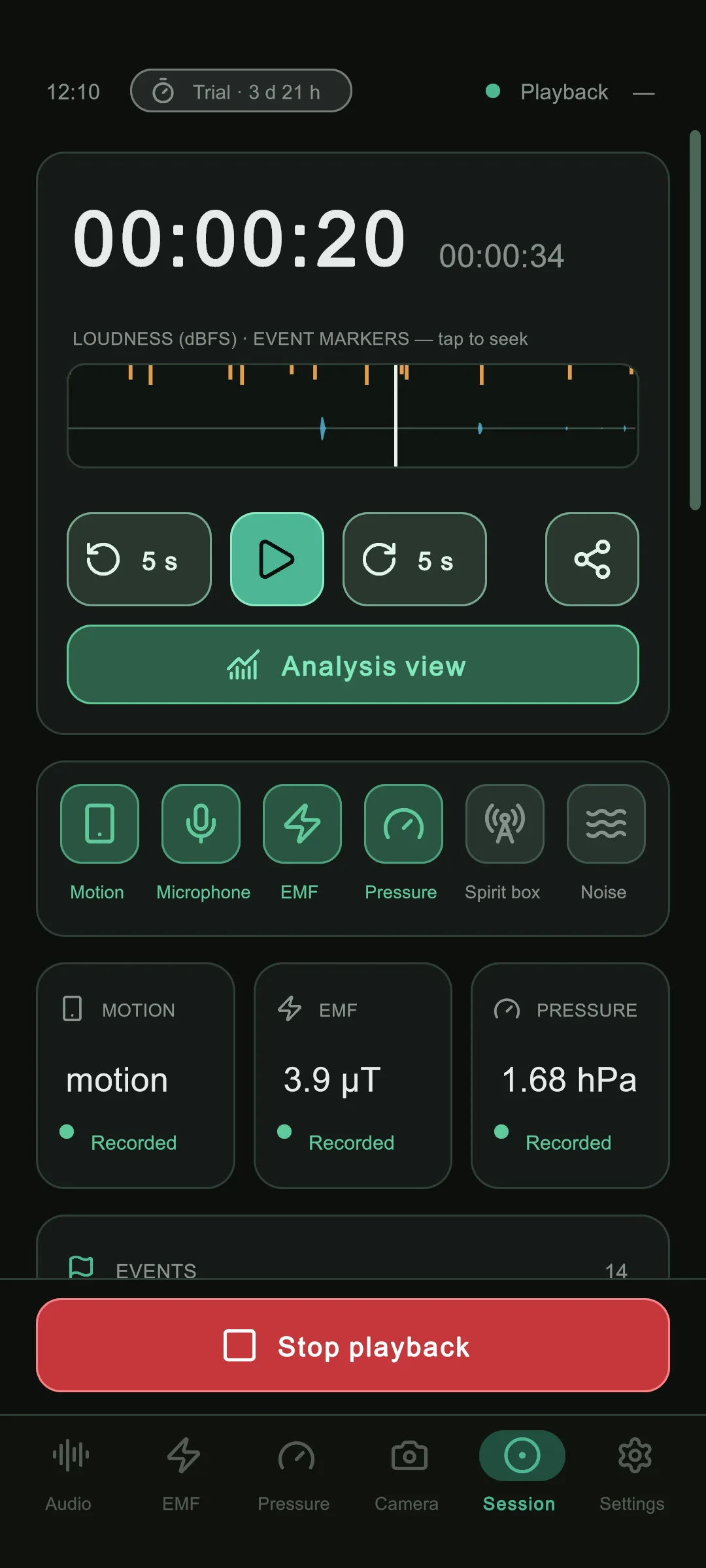
Analysis view
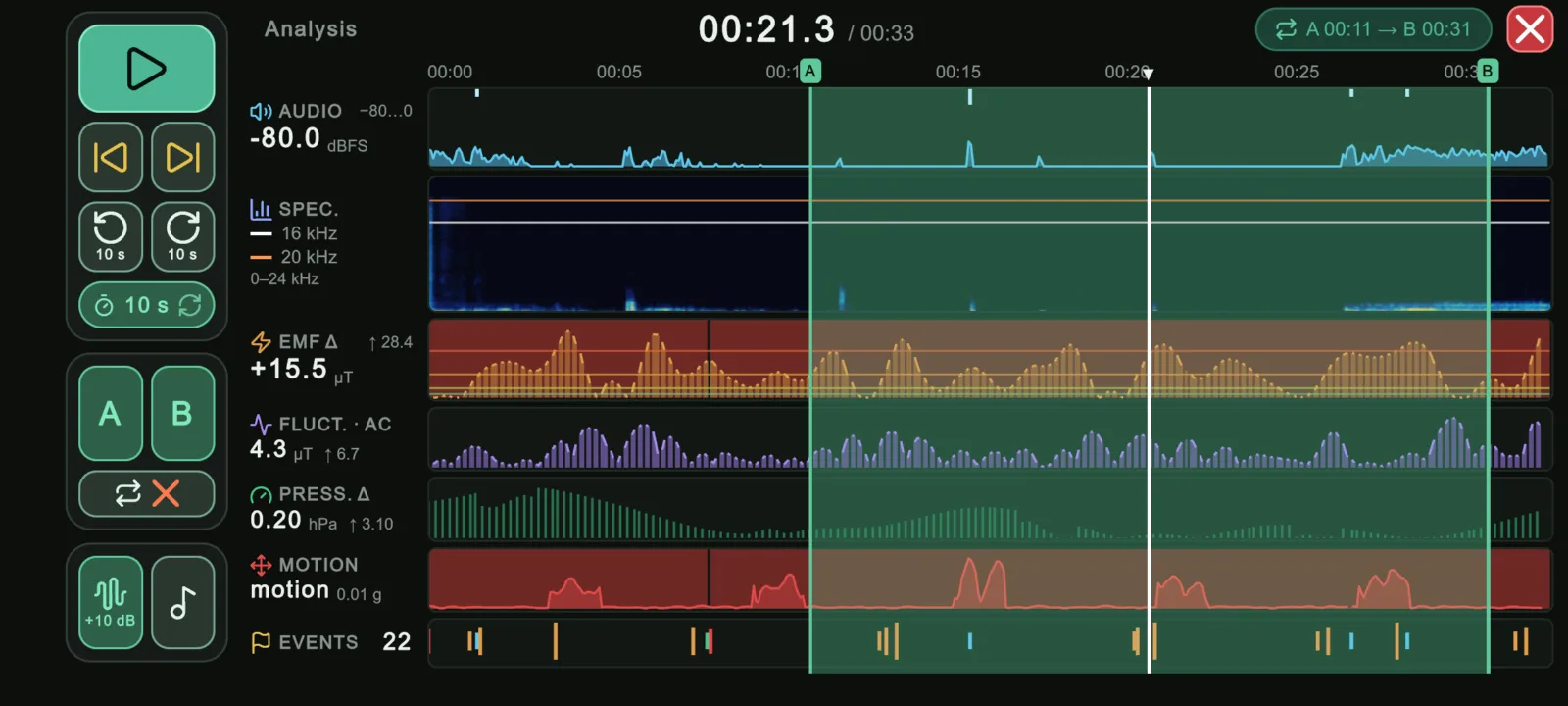
All channels on one timeline
In landscape view, sound, spectrogram, magnetic field, air pressure and motion line up under a single time axis. Mark a section between A and B and play it on a loop.
Try it on your own phone
Free to download. Use every feature for the first 7 days; after that, a one-time purchase unlocks new measurements. There is no subscription and there are no ads, and your saved recordings stay available.
Available for Android. The iOS version is in preparation.